
Overview
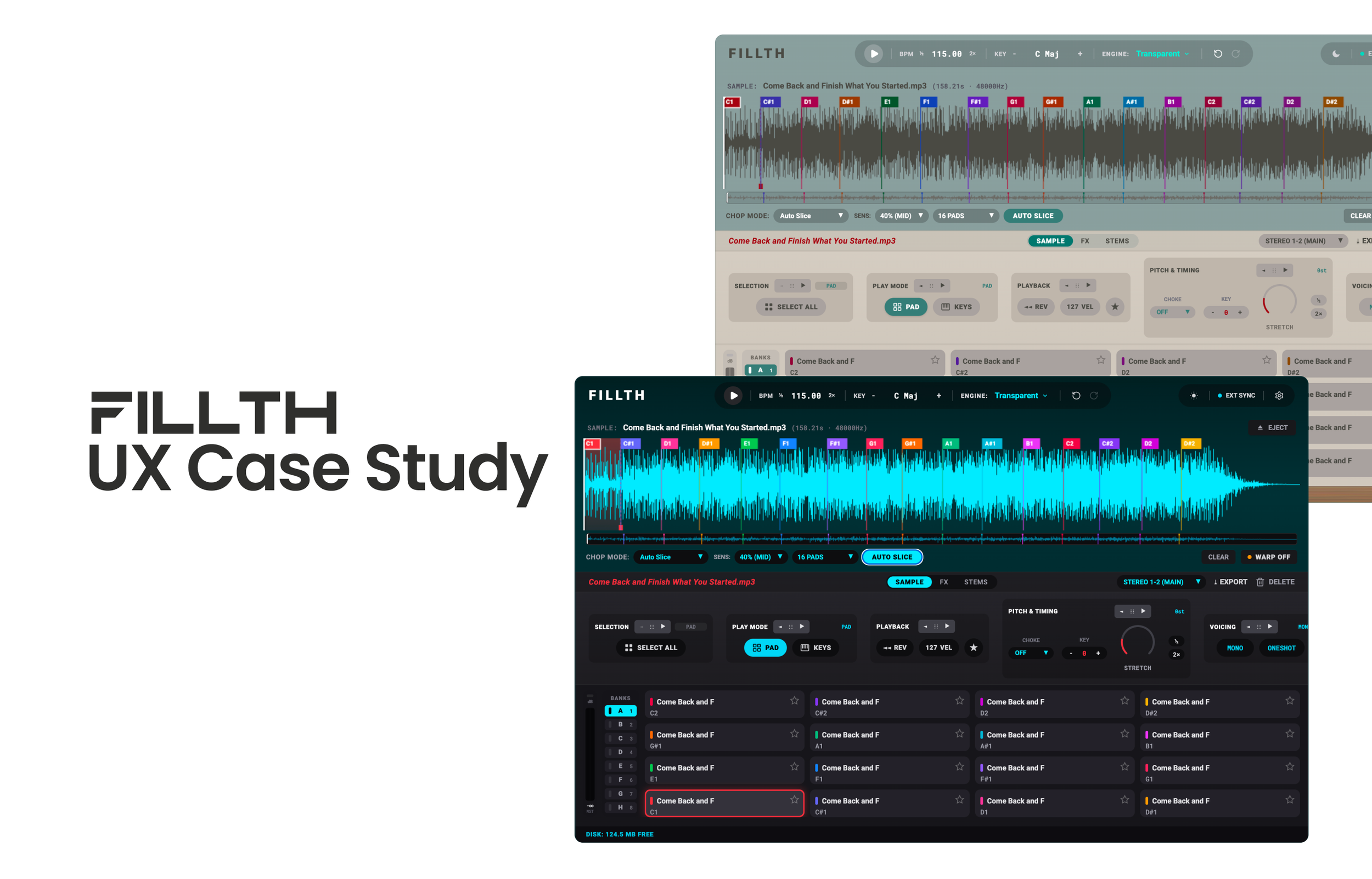
FILLTH is a music production plugin designed to make sampling faster, more intuitive, and creatively flexible.
Built for producers who work with existing recordings, FILLTH brings audio chopping, stem manipulation, sound design, and sample exploration into a unified workspace.
The goal was to combine the creative flexibility of advanced sampling tools with the immediacy of a simple, hands-on instrument.
The vision: Give producers more creative control with fewer interruptions to their workflow.
Prototype
The Problem
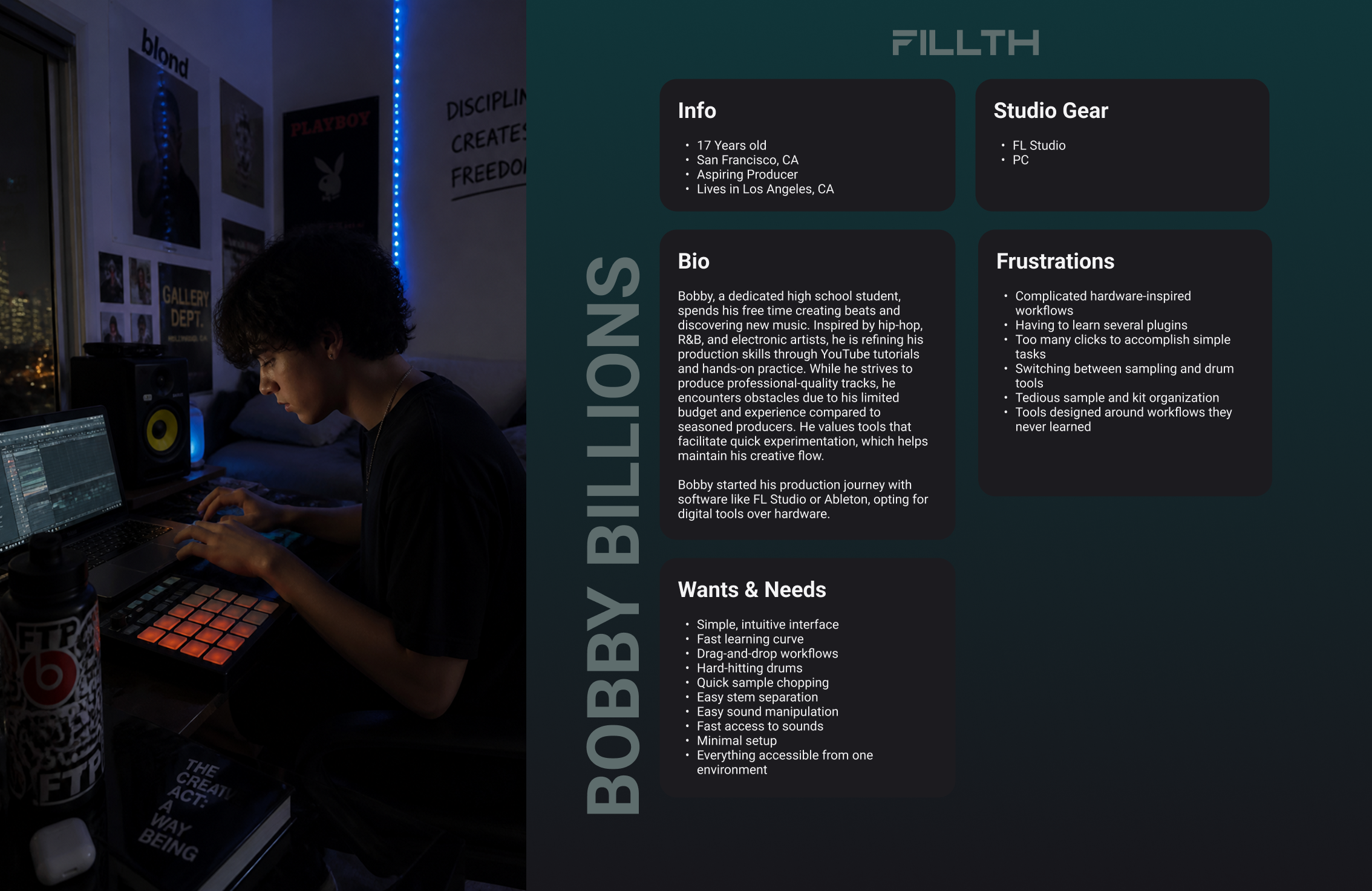
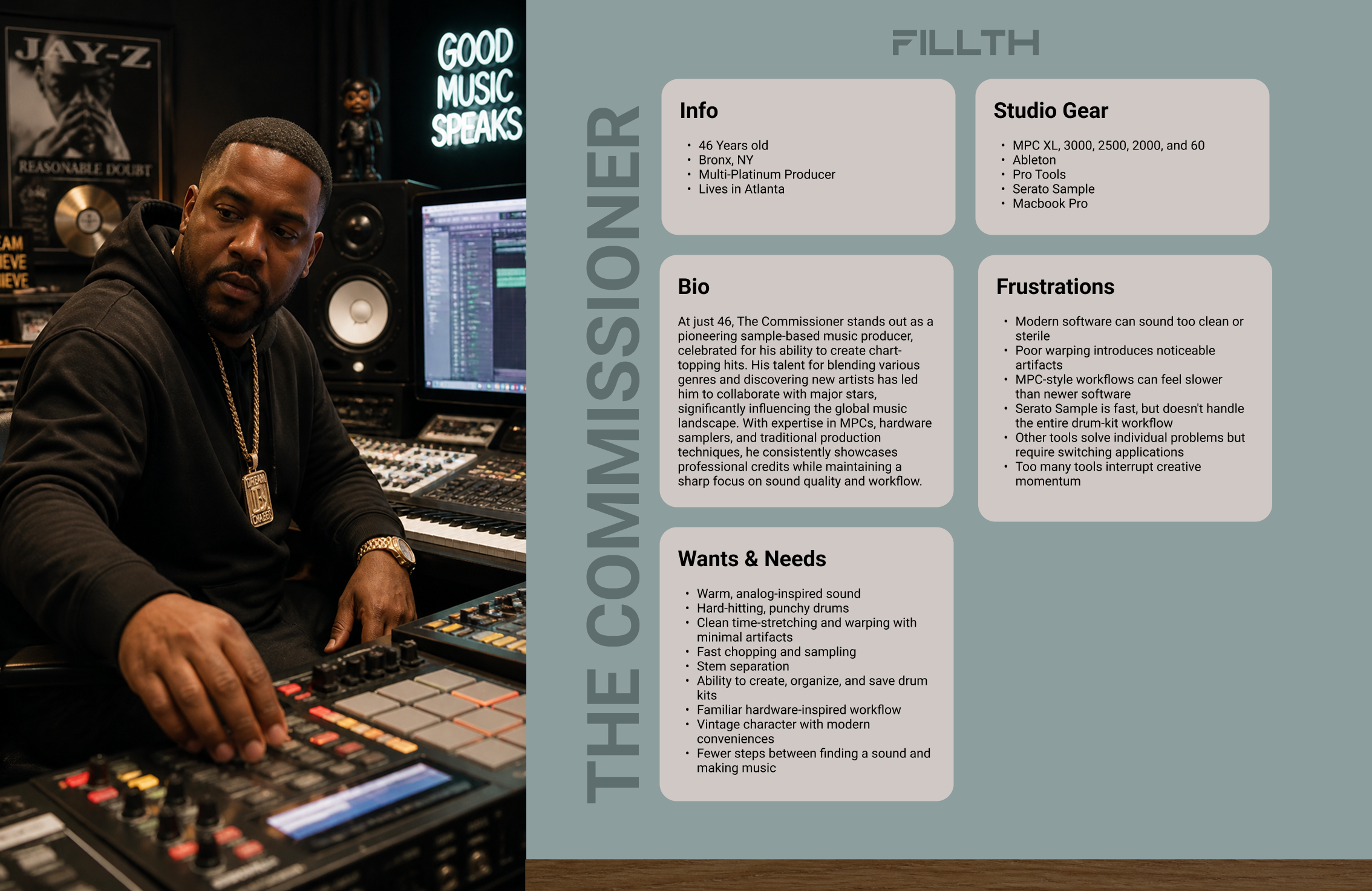
Sampling is inherently creative, but the tools used to manipulate audio can introduce unnecessary complexity.
Producers frequently navigate between waveform editors, slicing controls, effects, and mixing interfaces to accomplish relatively straightforward tasks.
Three key challenges informed the design:
Fragmented workflows: Chopping, editing, effects, and stem manipulation often require moving between multiple interfaces.
Overcomplicated controls: Basic tasks like generating chops can involve multiple parameters and configuration steps before users can begin experimenting.
Limited creative exploration: Traditional workflows place much of the burden on producers to manually discover, isolate, and experiment with interesting moments in a recording.
The opportunity was to create a cohesive sampling experience that reduced technical friction without sacrificing creative control.
The Solution
I designed FILLTH around a single principle:
Keep the creative process immediate, while making advanced functionality available when needed.
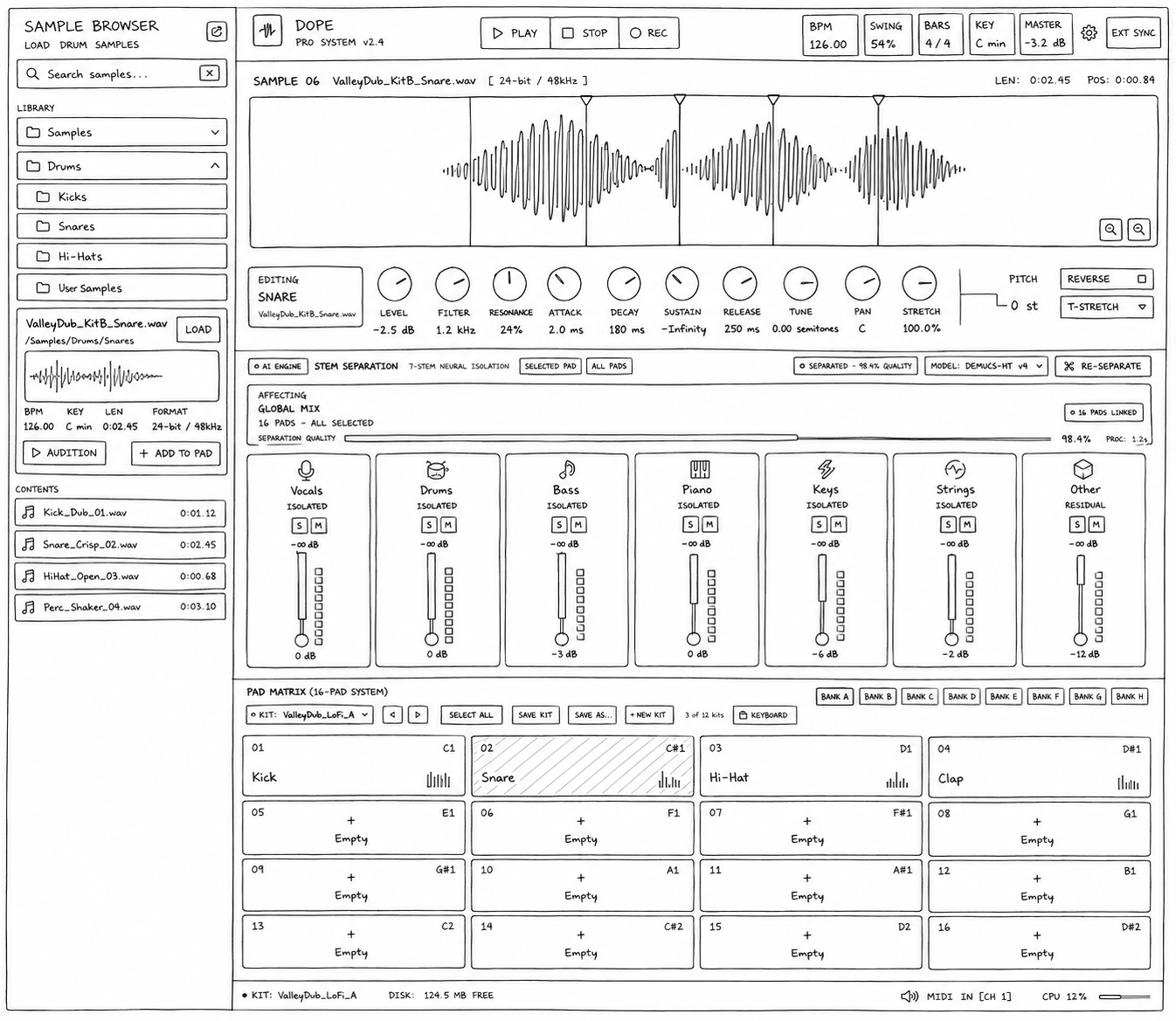
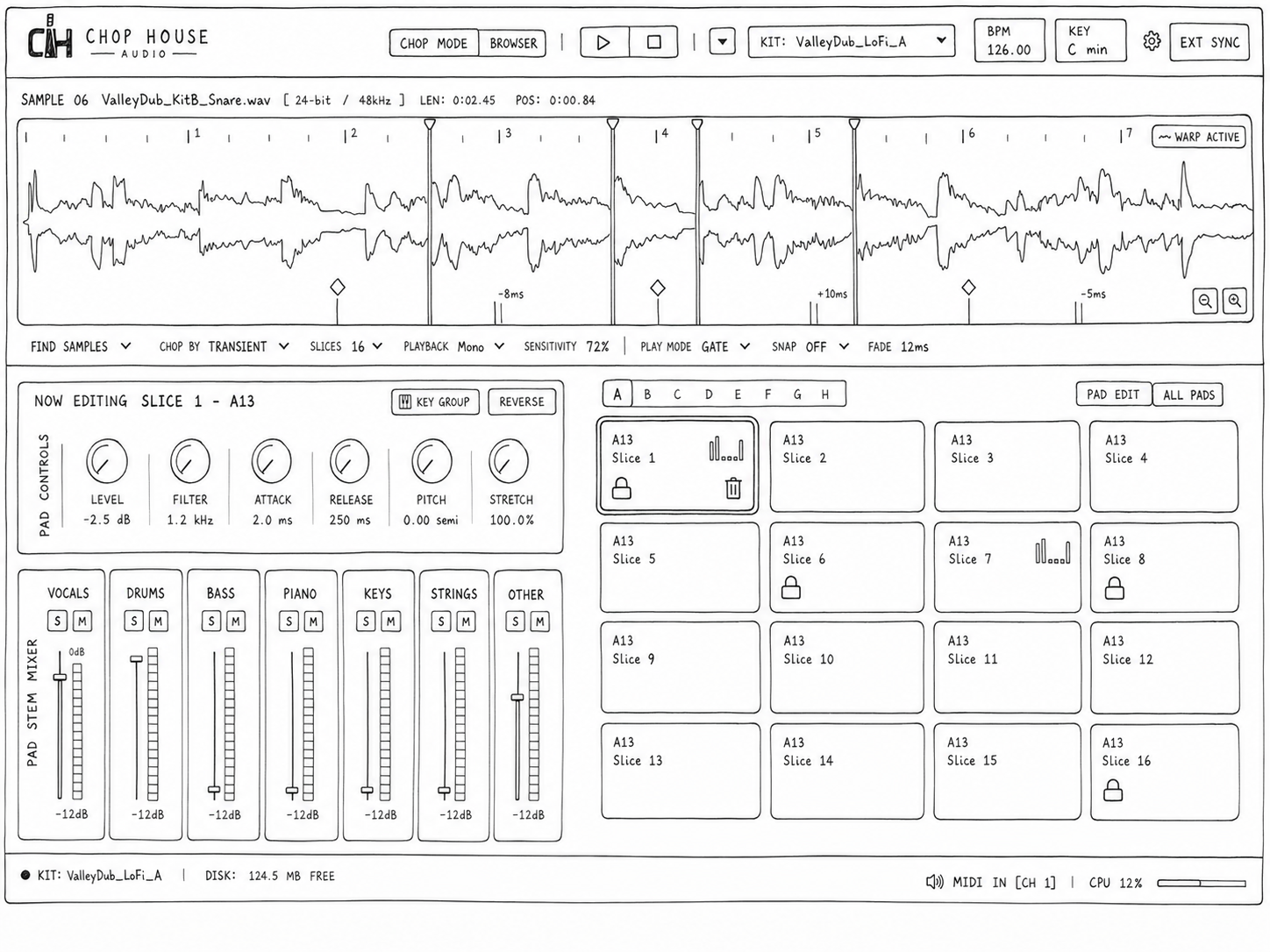
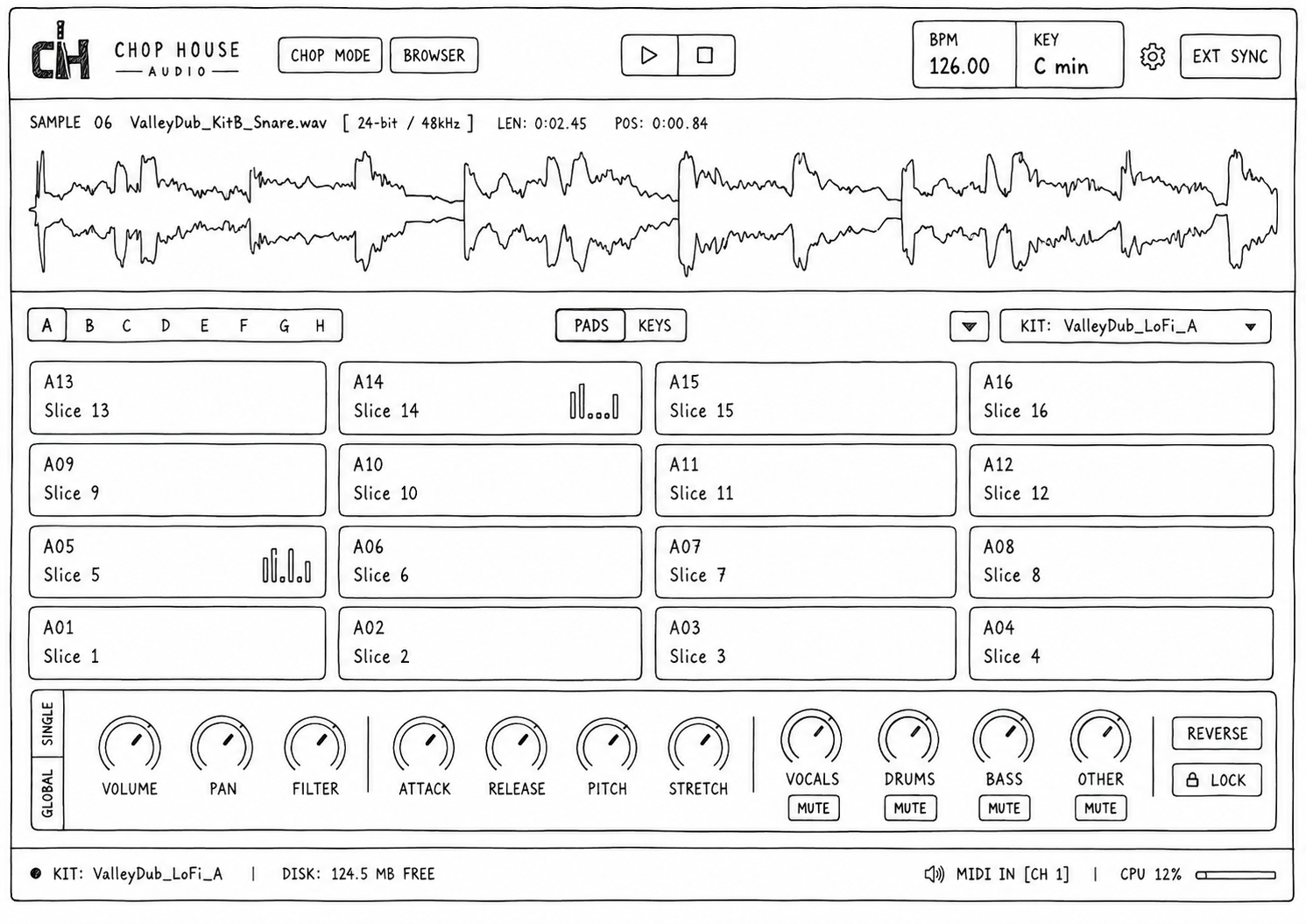
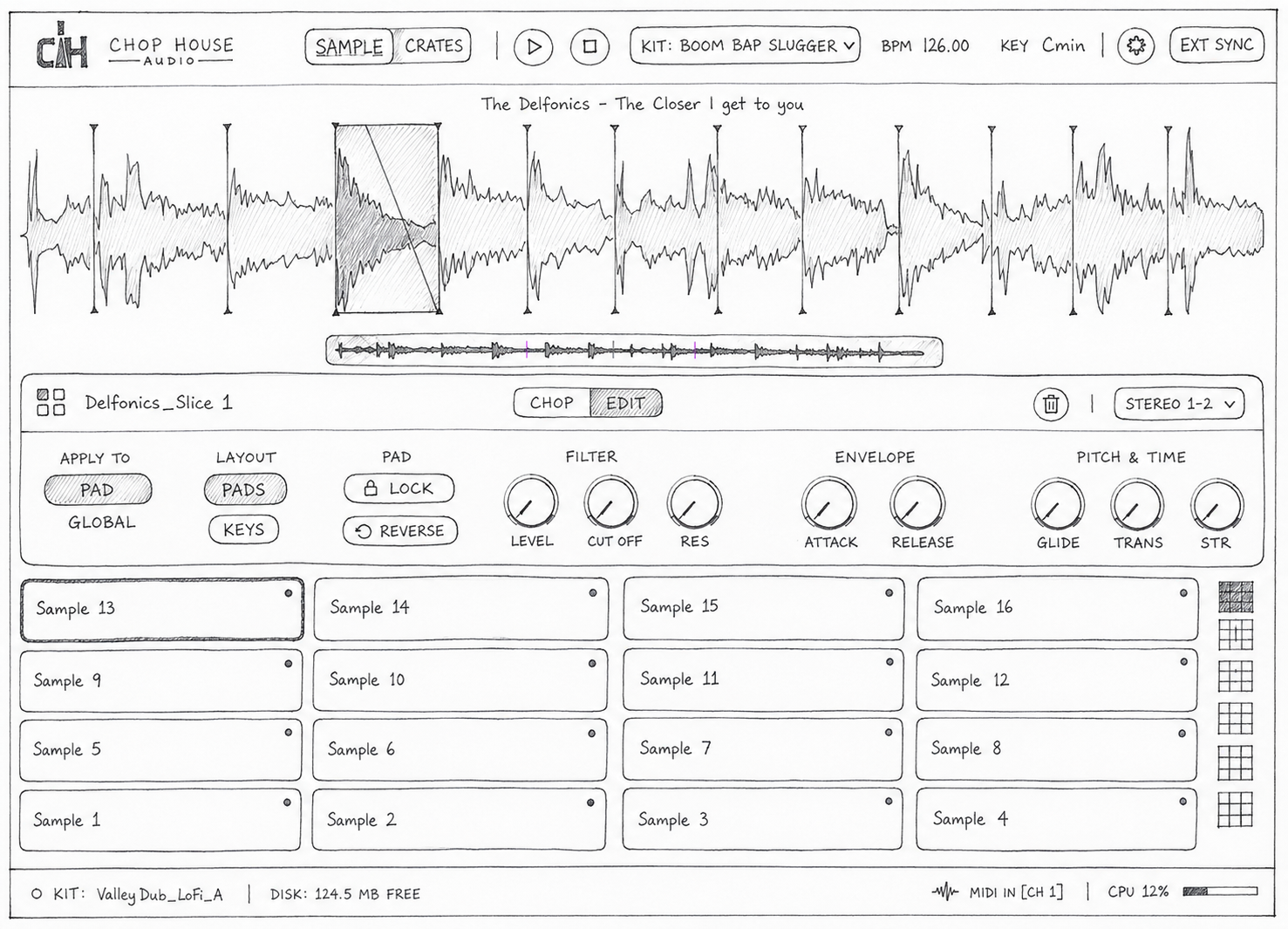
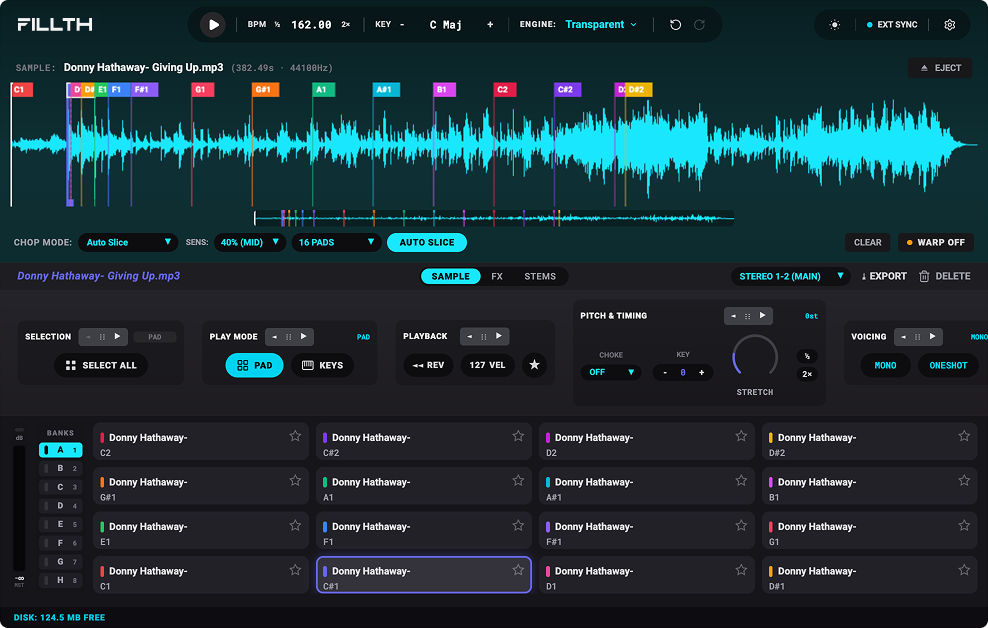
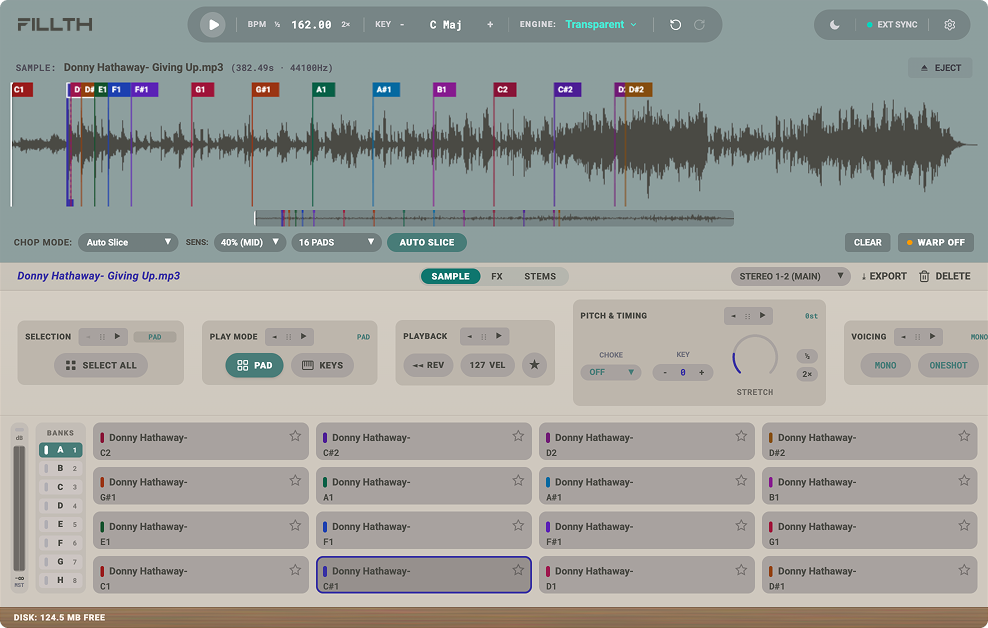
The interface centers around an interactive waveform, 128 playable pads, and contextual editing controls.
Rather than overwhelming users with every available parameter, FILLTH organizes functionality around what they're doing: finding samples, manipulating individual chops, shaping sound, or adjusting stems.
INTERFACE DESIGN WIREFRAME ITERATIONS
KEY FEATURES
Fillth brings sampling, sound design, and performance into a single streamlined workflow, giving producers the flexibility to move from raw audio to a playable instrument without interrupting the creative process.
Flexible Sample Chopping
Quickly transform audio into playable slices using multiple chopping methods. Producers can fine-tune slice count, sensitivity, snap, fades, and playback behavior to create everything from precise chops to experimental arrangements.


01. Faster, More Intuitive Chopping
At the center of FILLTH is a 128-pad sampling system that allows producers to explore large portions of a recording without constantly replacing existing chops.
The chopping experience supports manual editing and focused creative modes:
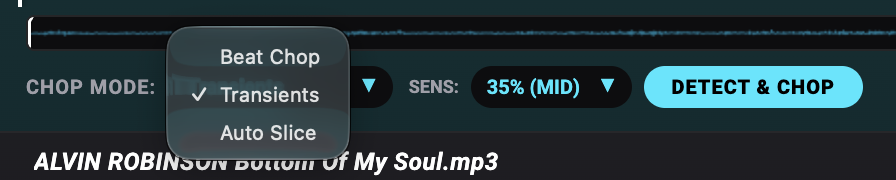
Beat Chop: Generates rhythmically aligned slices using the sample's beat grid, with adjustable spacing and automatic tempo synchronization.
Smart Chop: Uses audio analysis to identify meaningful rhythmic and musical moments.
Random Chop: Creates unexpected slice arrangements to encourage experimentation.
Beat Chop was intentionally simplified so users can position the playhead, adjust the interval, and create chops without managing unnecessary settings.
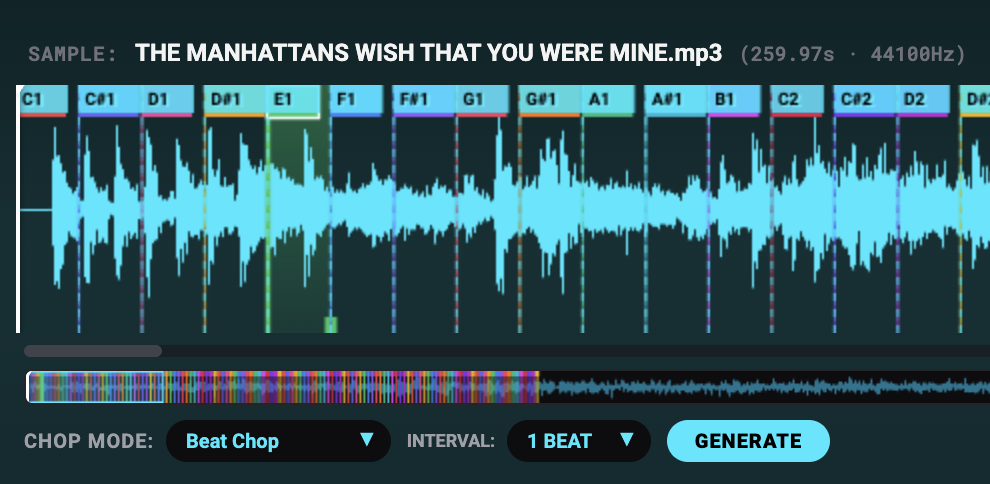
The waveform also uses contextual highlighting. Selecting an individual pad emphasizes its corresponding audio region while keeping other chop locations visible as markers.
This reduces visual clutter while maintaining a clear relationship between the waveform and the pads.
02. Contextual Sample Editing


Every pad functions as an independently editable sample.
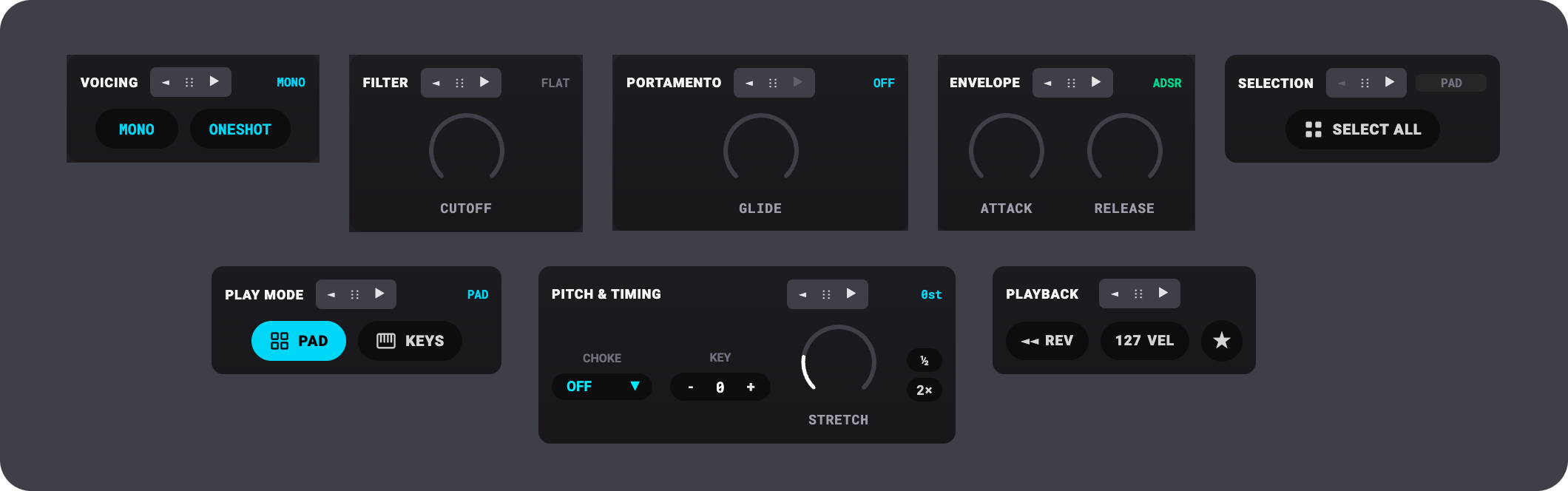
Selecting a pad reveals its relevant controls, including pitch, reverse, filtering, envelopes, time-stretching, and playback behavior.
Instead of navigating through disconnected editing environments, producers can manipulate audio directly within the context of their current selection.
The design also supports locking favorite chops, allowing users to experiment with new arrangements while protecting ideas they want to preserve.
The result is a more direct relationship between selecting a sound, modifying it, and hearing the outcome.
03. Integrated Stem Control

FILLTH introduces a dedicated Stems workspace to provide greater control over the individual elements within a recording.
The interface separates stem manipulation into two levels:
All Stems: Adjust the balance of the original recording's separated elements.
Pad Stems: Independently manipulate the stem levels of a selected chop.
This allows producers to explore variations of the same sample without repeatedly leaving their editing workflow.
The design includes familiar volume faders, mute/solo controls, and audio-level meters, maintaining consistency with established DAW interaction patterns.
04. Creative Effects and Sound Character
FILLTH combines detailed effects with a simplified approach to overall sound coloration.
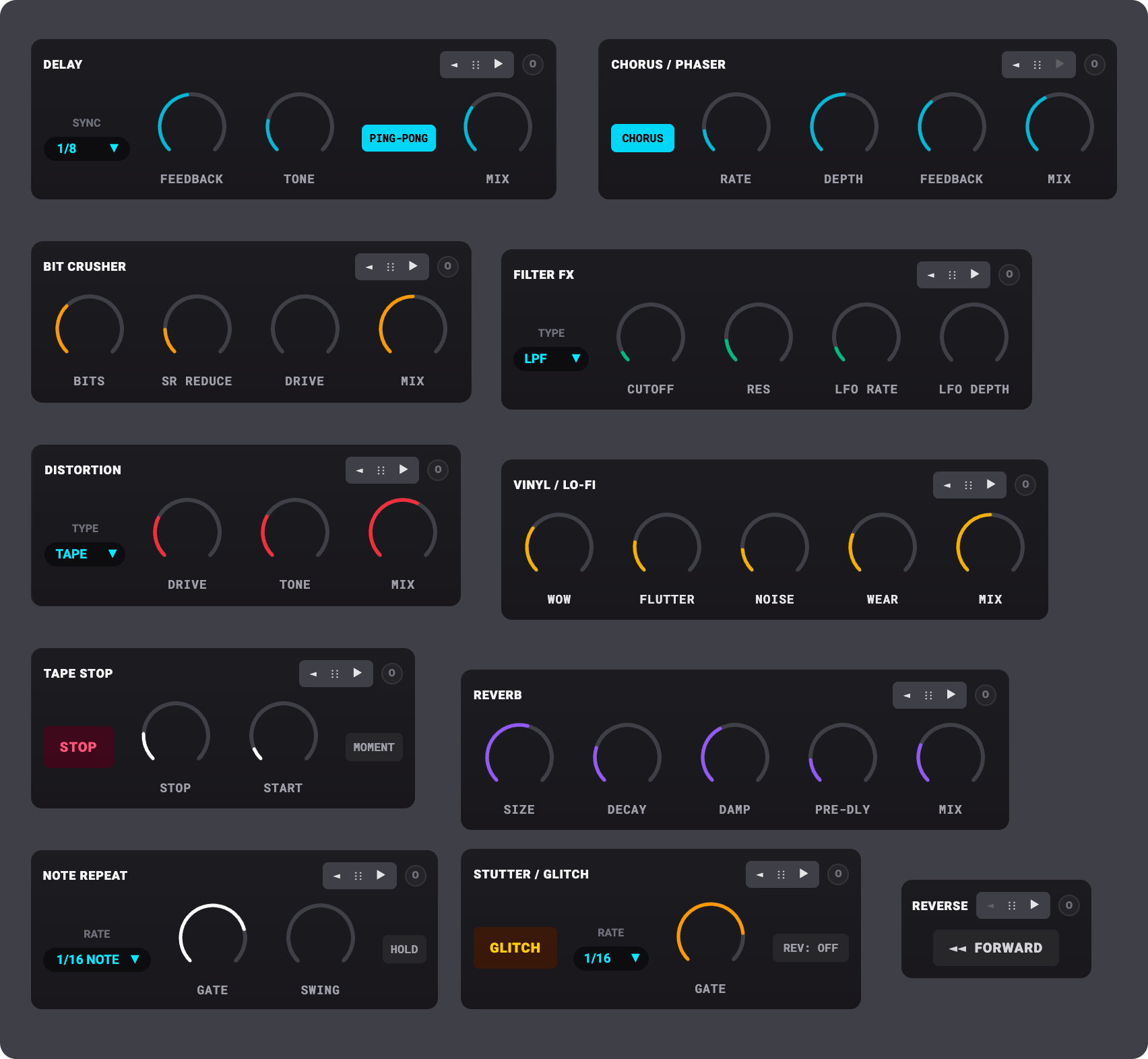
A dedicated FX workspace provides creative tools such as tape stop, note repeat, delay, bit crushing, distortion, reverse, filtering, and modulation effects.

For faster tonal changes, the Character control offers three expressive directions:
Transparent → Warm → Gritty
This creates two levels of interaction: immediate sound shaping through a single control and more deliberate manipulation through dedicated effects.
The separation helps users understand the purpose of each control without duplicating functionality.
The Design Process
From Exploration to a Focused Experience
FILLTH began under the name Chop House, with a broader set of capabilities that included recording, drum programming, AI-generated audio, and extensive editing controls.
As the design evolved, I found that adding functionality was also introducing complexity.
I refined the product direction by reducing overlapping chop modes, consolidating controls, simplifying mixer navigation, and prioritizing the sampling workflow.
This process helped establish a clearer distinction between essential functionality and features that could distract from the core experience.
Designing Through Functional Prototypes
I moved beyond static interface designs by building interactive prototypes using Google Flow, React, and TypeScript.
This allowed me to evaluate waveform interactions, pad selection, audio playback, fader behavior, and responsive layouts directly.
As issues emerged, I refined both the interface and its functional requirements.
For example, I addressed interaction concerns such as waveform clutter, ambiguous mixer labels, audio meters not responding on the first pad trigger, and sample lists unnecessarily expanding the plugin's height.
The project is now progressing toward native VST3/AU implementation using VS Code and AI-assisted development tools.
Outcomes
While FILLTH remains in development, the design process has produced a more focused product direction and clearer interaction model.
Simplified sampling workflows
Consolidated chopping options and reduced configuration requirements for common operations.
Improved interface clarity
Introduced contextual waveform highlighting, clearer pad-level editing, and a more understandable stem-control hierarchy.
More cohesive creative tools
Organized sampling, effects, and stem manipulation into dedicated but connected workspaces.
Greater product focus
Prioritized the features that directly support sample exploration and manipulation instead of attempting to recreate an entire production environment.
Functional design validation
Used interactive prototypes to identify usability and playback issues that static designs alone would not reveal.
These are design and prototyping outcomes; broader usability and performance validation will follow as plugin development continues.
Reflection
FILLTH challenged me to think beyond individual screens and consider the relationship between product strategy, interaction design, and technical implementation.
One of the most important lessons was that creating a powerful product doesn't necessarily mean adding more functionality.
It means identifying which capabilities deliver the greatest value and designing those interactions so they feel effortless.
By combining product design with functional prototyping, I was able to explore ideas, test behaviors, identify friction, and refine the experience through direct experimentation.
FILLTH represents my approach to building creative software: powerful enough to inspire experimentation, but intuitive enough to keep the focus on making music.